Build #7 · Week 7 · Launched Jul 3, 2026
LiveMarkUpTo
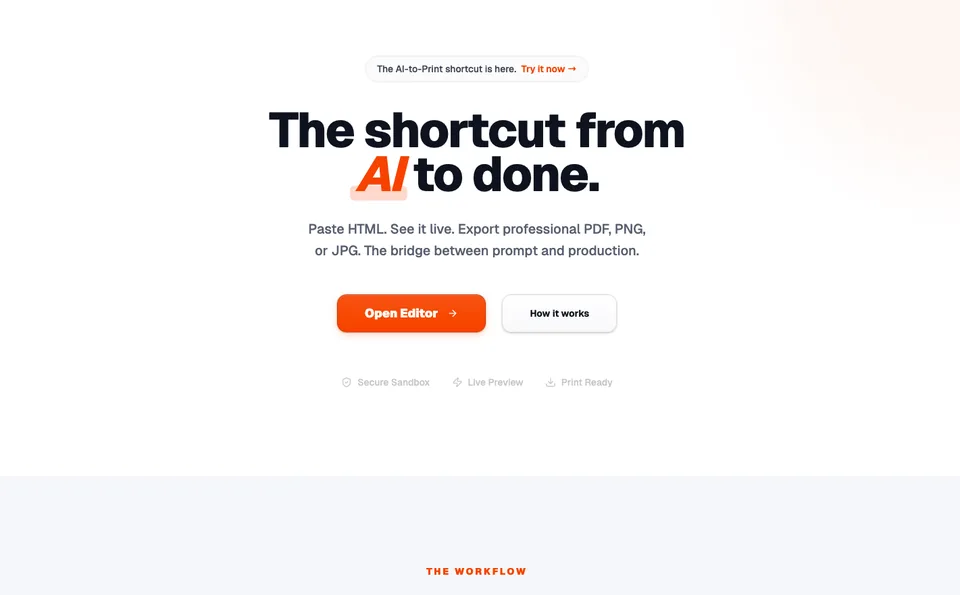
Paste HTML, see it render live, and export a clean PDF, PNG or JPG in a couple of clicks. There's an AI generate step too, so you can go from an idea to a print-ready file without fighting a browser's print dialog. The bridge between an AI prompt and something you can actually hand off.
The idea
What it is & why I built it
MarkUpTo solves a small, annoying problem I kept hitting. AI is great at spitting out HTML, but turning that HTML into a clean, professional PDF or image is a mess. You either wrestle with the browser print dialog, install some sketchy converter, or paste it into a tool that mangles the layout.
So MarkUpTo is the simple version. Paste your HTML, watch it render live, then export a proper PDF, PNG or JPG that looks the way it's supposed to. There's an AI generate step on top, so you can describe what you want and let it draft the markup before you export. The whole point is the shortcut from AI to done.
It's live now. The editor, live preview and exports are out and working. It's earning nothing yet, which is the honest status, it just shipped this week and I'm waiting on results. I'll keep sharpening the export quality and the AI step from here.
The build
How it was built
It runs the preview in a secure sandbox so whatever HTML you paste can't reach anything it shouldn't. You type or generate on one side, the rendered result updates on the other, and the export pulls from that same render so what you see is what you get in the file.
Same approach as my other builds underneath. Static front end, AI where it actually helps, cheap to run. The interesting engineering is all in the export, getting a browser render to come out as a crisp, print-ready PDF or a clean image at the right resolution without the usual margins-and-scaling headaches.
It shipped once the export held up and the AI generate flow worked end to end. Right now it's a free tool. Whether it stays free as a lead magnet or grows a paid tier is the next decision, now that it's actually out in people's hands.
The stack
Tools used
Live HTML preview the core
Paste or generate markup and see it render instantly in a sandboxed frame.
PDF, PNG, JPG export the payoff
Pull a clean, print-ready file straight from the live render. The part most tools get wrong.
AI generate the shortcut
Describe what you want and let it draft the HTML before you export. Prompt to production.
Secure sandbox the safety
Pasted HTML runs isolated, so nothing you drop in can reach anything it shouldn't.
The money path
Where the revenue opportunity is
MarkUpTo earns nothing on purpose right now, 50 exports in its early weeks says the utility is real, and utility with a habit is the raw material of a paid tier. The opportunity is the standard tool ladder: keep the core free forever, then charge for the professional edges, batch exports, an API, clean files for client work. Tools like this convert badly at first and beautifully once they are inside someone's weekly workflow. I am letting the habit form first. The invoice comes later, and only for the heavy users.
The numbers
Analytics so far
No numbers worth showing yet. It just shipped, and it's free for now. As people start using it, I'll put usage and any revenue right here, plus whatever I decide on pricing. Note: the live site still has a stray reference to an old domain in the body copy that I need to swap to markupto.com.
The recap
Lessons & results
Nothing to recap yet. MarkUpTo just shipped. Once it's had some real use, I'll write up what worked, what broke, and whether a free HTML-to-print tool pulls its weight in the portfolio.